Resources for Travel Architects
How to answer “where is this?” with your whole trip
Highlights
- Everyone who comments TRIP gets the whole trip in a DM, so you stop answering “where is this?” one by one
- People who comment and get your reply see more of your posts, and it adds up with every trip post
- Everyone who opens your trip can ask to follow you on Airmango. Accept their requests, and you’re ahead of the creators who join later
- Your followers, saves and booking requests are numbers you can show operators when you pitch a collab
Stop answering the same question
Post a great shot and the comments fill up with “where is this?” and “how do I get there?”. Answering them one by one takes hours, and a place name is never the whole answer. People want to know where you slept, how you got there and what came next.
That’s your trip, and it’s already on Airmango. So ask people to comment one word, and send everyone who does the whole trip: every day, every stop and where you stayed.
It helps your account too. Instagram shows people more from accounts they interact with, like the ones whose posts they comment on. It won’t change your reach overnight. It adds up post by post.
Copy your trip link
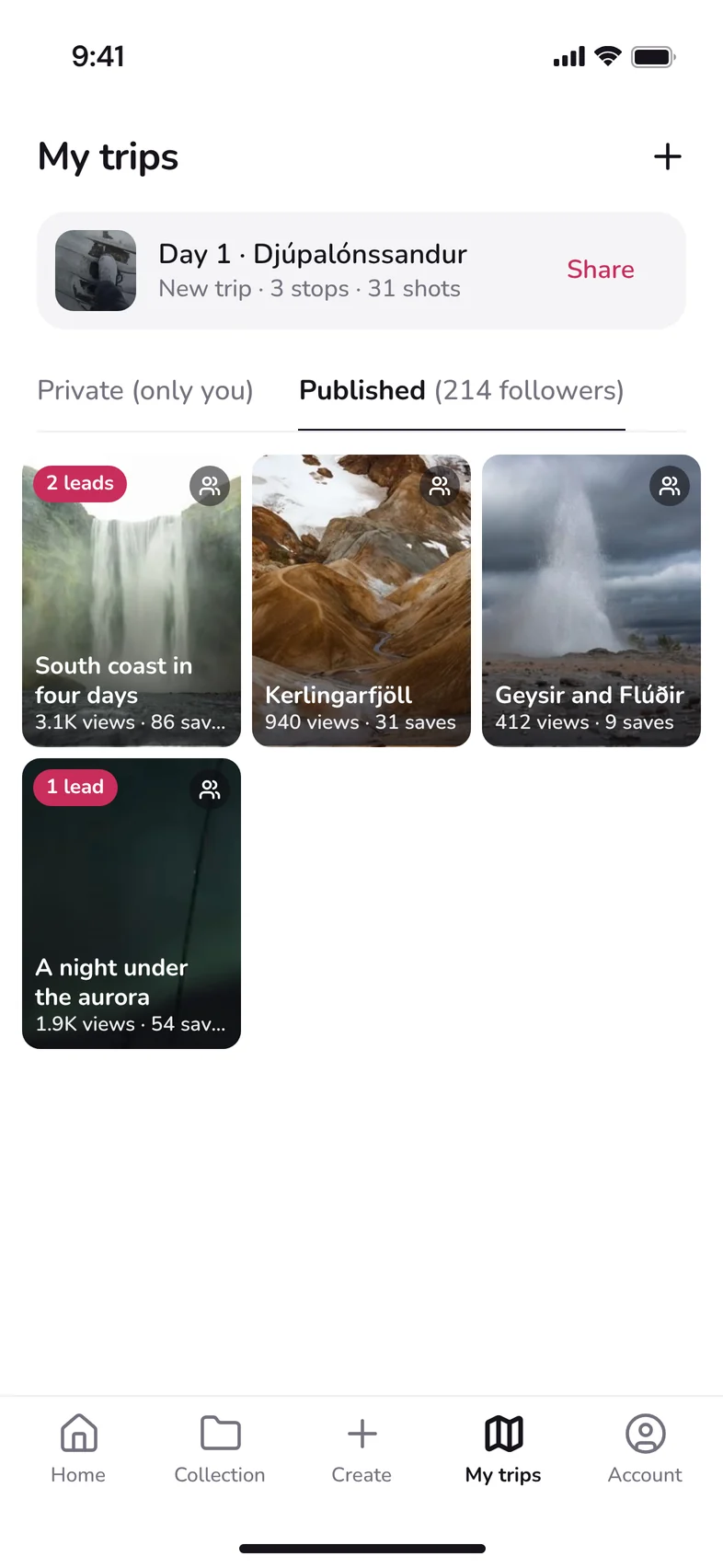
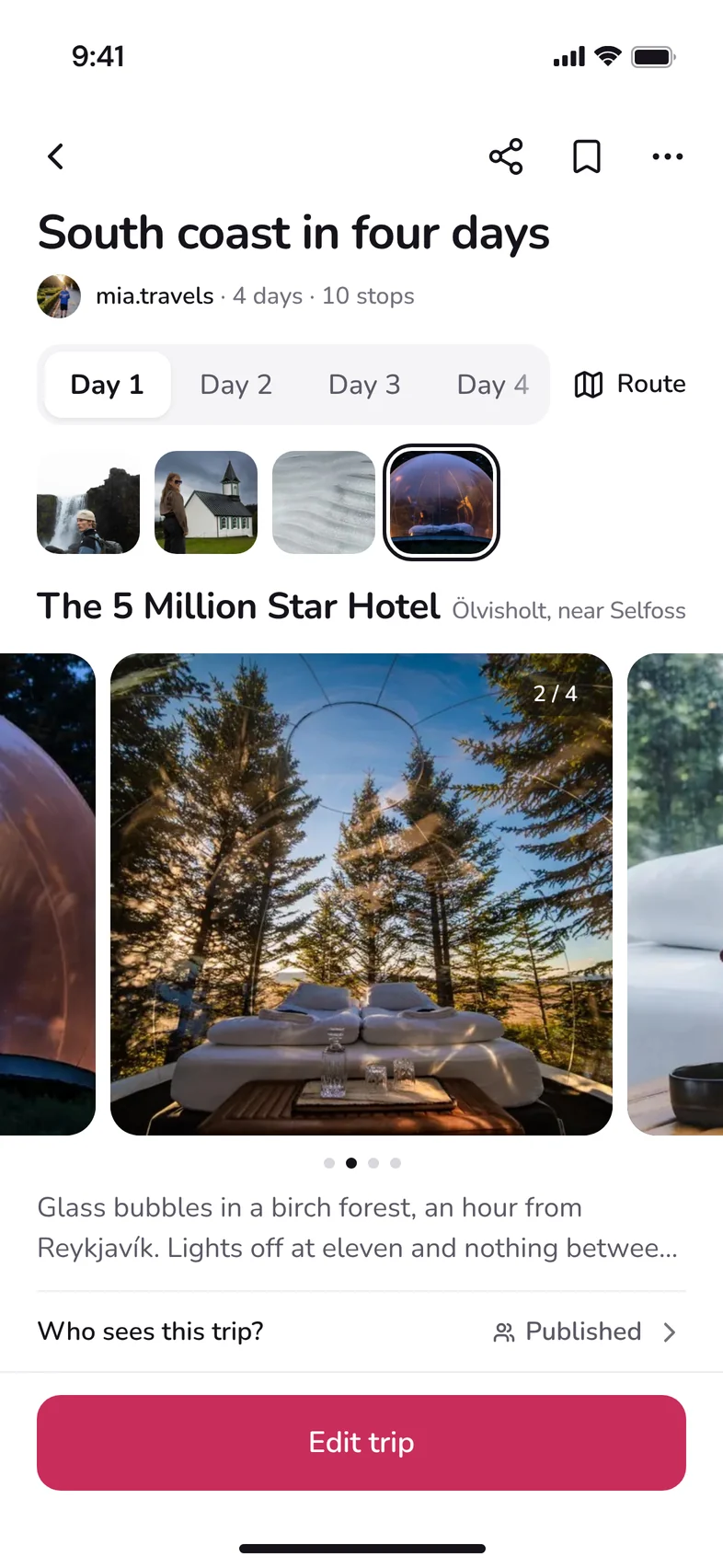

- Open My trips, tap Published, then tap the trip.
- Tap Share at the top of the trip.
- Tap Copy. The button turns to Copied, and the link is ready to paste.
Leave “Add a few words” empty, so Copy takes the link alone. Anyone with the link can see the trip and ask to follow you on Airmango.
Setting up Manychat on a computer? Tap Send with… instead and send the link to yourself.
Post and ask for one word
Pick the photo or reel from the trip that makes people ask. Put the ask in the first line of the caption, so people see it before the caption is cut off:
Use one short word, and the same word every time, so your followers learn it. TRIP works.
Send the trip

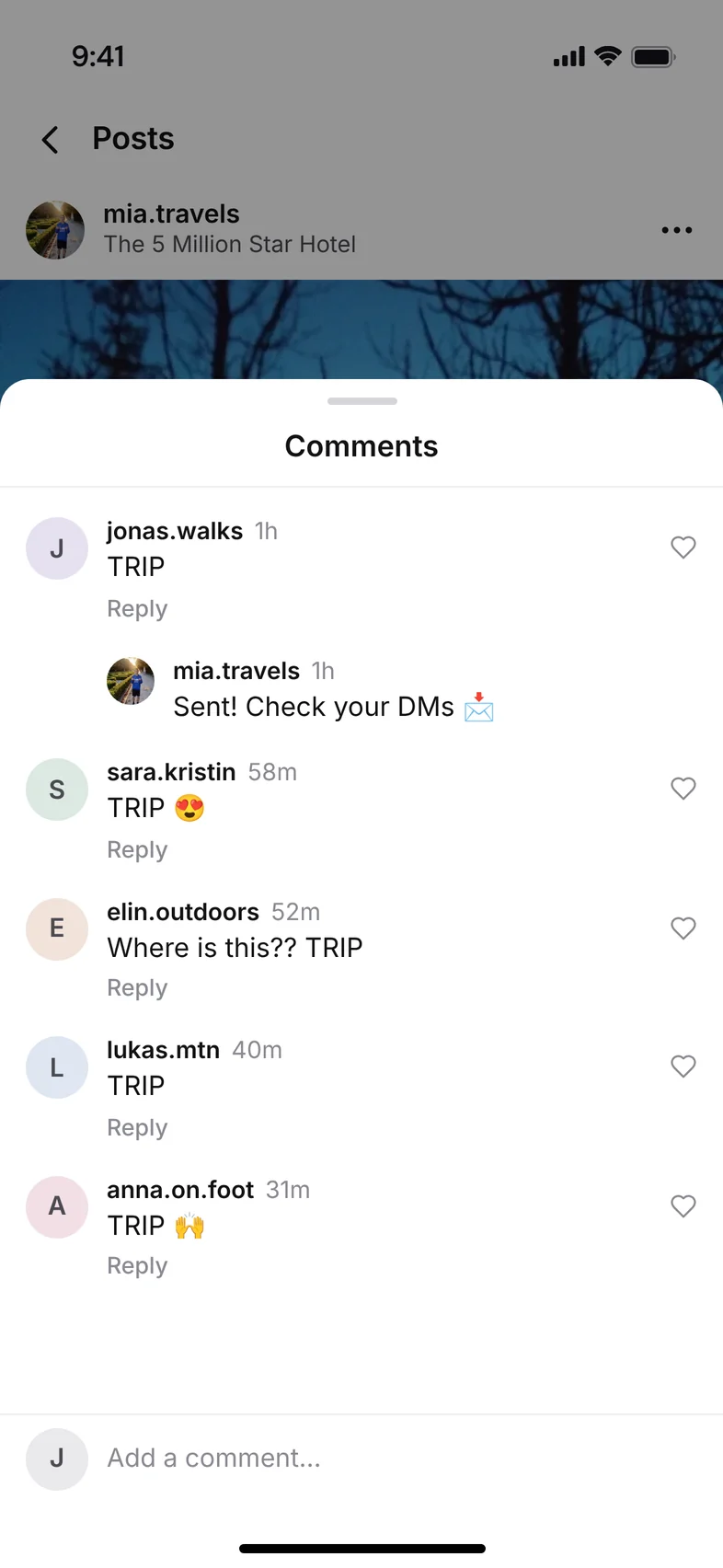

When someone comments TRIP, send them the link in a DM and reply to the comment, so others see it works. Say where it is in the message too. Then people who don’t open the link still get their answer:
You can send it by hand, or let Manychat send it for you.
| By hand | Manychat | |
|---|---|---|
| Cost | Free | Free up to 25 contacts a month, then from $14 a monthbilled yearly |
| Speed | When you get to it | The moment someone comments |
| Good for | A few comments | A post that takes off |
Let Manychat send it for you
Manychat answers every TRIP comment as it comes in, day and night. It needs an Instagram professional account (Creator or Business), and you set it up on a computer.
- Sign up at manychat.com and connect your Instagram account.
- Go to Automations, then My Automations. Click +New Automation and choose Grow followers from comments.
- Pick A specific post or reel, then your post.
- Type TRIP as the keyword.
- Turn on Reply under the post, with something like “Sent! Check your DMs 📩”.
- In the DM with the link, write the line about where it is and paste your trip link.
- Click Go Live.
Manychat first sends a short message with a button, and the link comes when they tap it. Instagram allows only one message to someone who has just commented, so the tap is what opens the conversation.
The template can also ask people to follow you before they get the link. It gets you followers, but some people stop there.
If you’d rather not pay for Manychat, Meta Business Suite has a free, simpler version called Comment to message.
What happens on Airmango
The link opens your trip on Airmango: every day and stop, and where you stayed. The route is in the app. If they don’t have Airmango yet, they get the app, sign up and find your trip on their Home screen.
From there they can ask to follow you. Once you accept, they see your next trips. Airmango is new, so the followers you build now come before most creators are here. In My trips you see how many people viewed and saved each trip, and how many asked to book it.
Your followers, and the saves and booking requests on your trips, are numbers you can show operators when you pitch a collab.
Make it worth the comment
- Use it on the posts that already get “where is this?” comments.
- Only ask when there’s a full trip behind the post. It’s there to answer people, not to collect comments.
- Check the trip has every stop before you post. That’s what people came for.